
Get a daily iPhone briefing with one simple Apple AI prompt
Source: pcworld.com
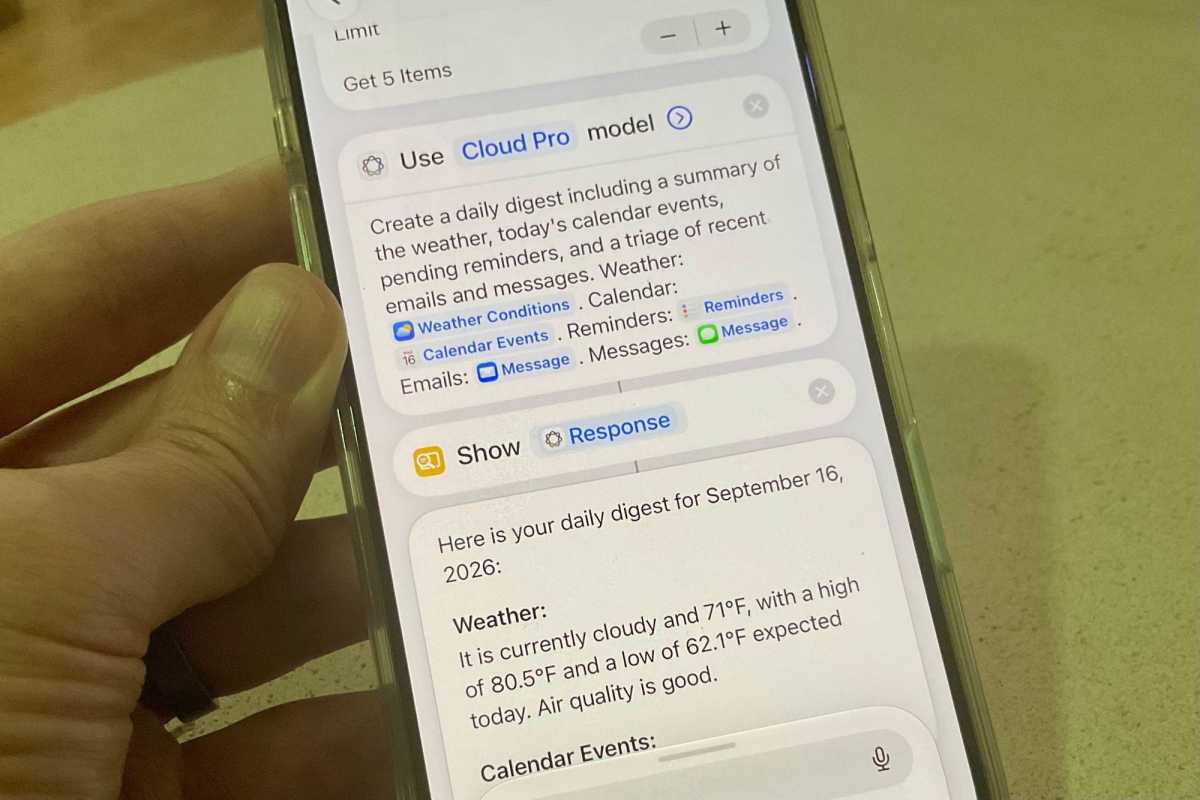
With the arrival of iOS 27, the Shortcuts app gained the ability to create and edit Shortcuts using natural-language prompts, powered by the same Apple Intelligence models that now power Siri. Previously, the Shortcuts app was notoriously tough to use, with modular building blocks and myriad options that seemed oriented toward coders. Now users can tell their iPhone the shortcut they want, and the model constructs the workflow, allowing edits afterward. Unlike ChatGPT Work and Claude Cowork, the iOS Shortcuts app is limited by the actions, scripts, controls, and functions in its bag of tricks, so users cannot create new blocks from scratch. To build a one-tap daily digest, users fire up the Shortcuts app, tap the “+” button at the bottom of the screen, and type or say a prompt requesting a daily digest of the weather, calendar events and reminders, and email and message triage. After about a minute, the app returns a Daily Digest shortcut that fetches a weather report, assembles the daily agenda, and summarizes recently received emails and text messages. Tapping Edit reveals the building blocks, where users can tweak Apple Intelligence’s options or tap the Apple Intelligence button in the top-right corner to request changes using a prompt. Apple Intelligence only comes into play for the penultimate step, summarizing details gathered by previous blocks.
SUCKS 0
0
0
Comments
This page shows all existing comments. To add a new comment, open the post in the forum.
No comments yet.