
Using MCP to Link a Brokerage Account to ChatGPT
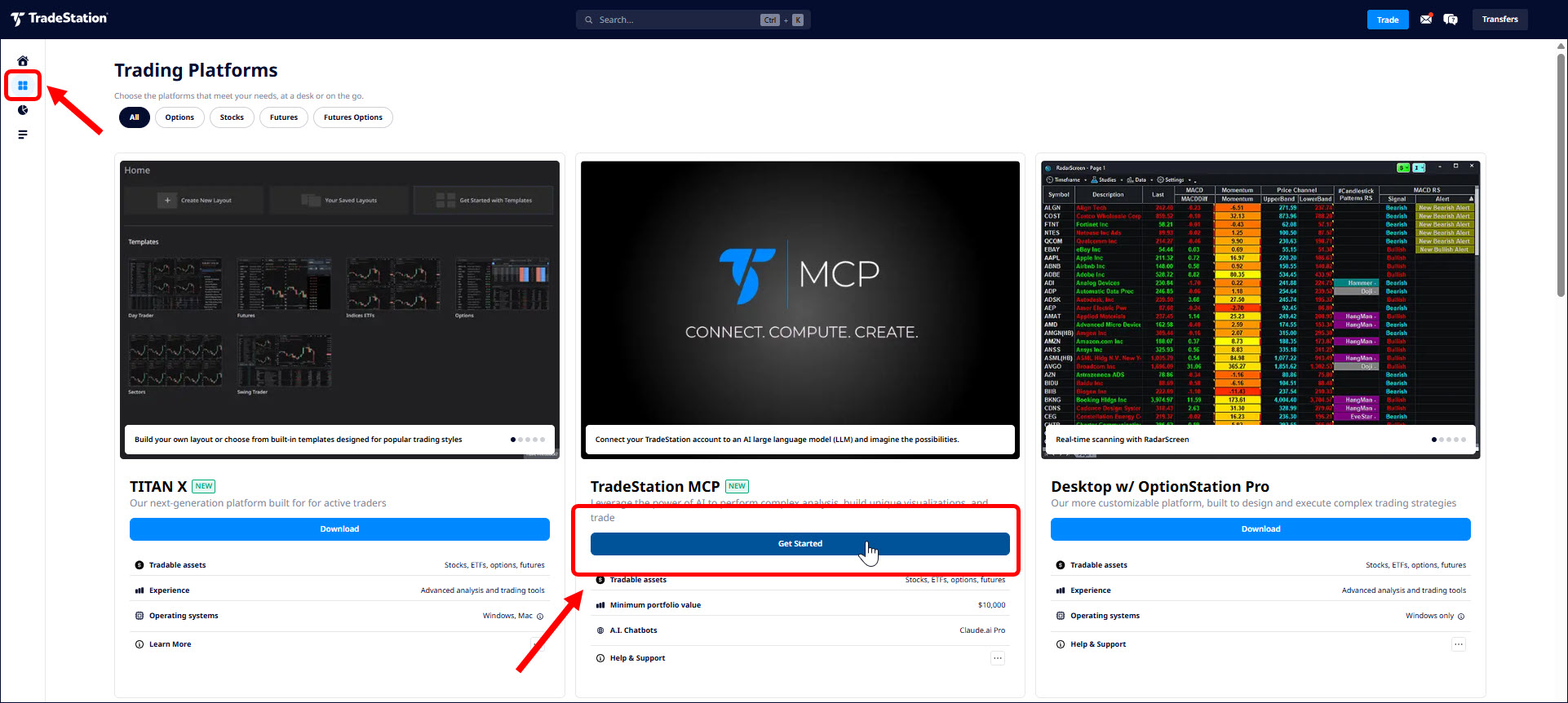
Source: tradestation.com
TradeStation MCP lets users link AI models to their brokerage accounts, using the Model Context Protocol (MCP) to create a secure two-way link between a large language model and a trading account via OAuth-secured authentication. The article explains connecting ChatGPT, the most popular model in the U.S., to eligible clients' accounts using OpenAI's ChatGPT Plus, Pro, Business, Enterprise or Edu. Customers start by signing in at TradeStation.com, entering HUB, and clicking "Get Started" for MCP on the platform page. On ChatGPT, users open Settings, activate Developer mode under Plugins, create a new plugin with Server URL "https://mcp.tradestation.com/v2/mcp", select OAuth for authentication, and save. Once saved, users activate the plugin, which prompts a TradeStation authentication dialog for credentials. After connecting, the model has access to account information and TradeStation's market data, allowing users to ask plain-language questions like "I'm bullish on AAPL. Please suggest an options strategy for a 2-3 month rally." Traders remain in control of every decision, granting or denying access to different pieces of information and functionality.
SUCKS 0
0
0
Comments
This page shows all existing comments. To add a new comment, open the post in the forum.
No comments yet.